
Docs MCP Server
The docs site exposes a Model Context Protocol (MCP) server that AI tools can search and reference. Once connected, your AI tool can answer questions like “How does the FeedAMP Order API work?” by pulling directly from the docs.
This server lets your AI tool search and reference the Feedonomics documentation. It can’t read or change your account, feeds, or settings. To work with account data, use the Feedonomics API with an API token instead.
Pick your agent

Terminal — Anthropic’s coding agent.

Terminal — OpenAI’s coding agent.

IDE — AI-first VS Code fork.
Desktop — general Q&A about the Feedonomics platform.
Setup your agent
Claude Code
Copy the install command
Pick the scope you want.
For a single project, click the Copy page dropdown in the upper right of any docs page and select Connect to Claude Code, or copy it from here:
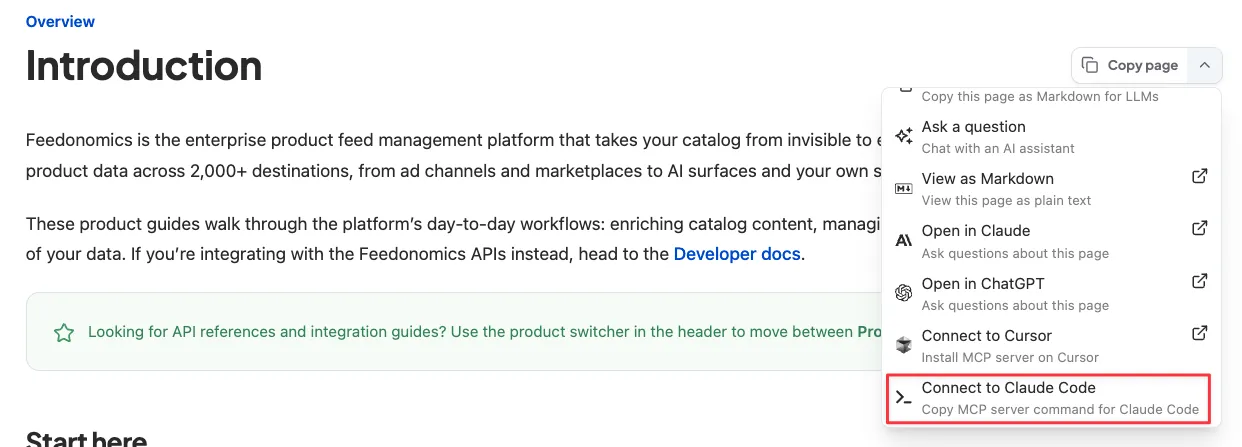
For every project on your machine, copy this one instead:
Codex
Run this in your terminal to add the docs server:
Confirm it appears with codex mcp list, then use /mcp inside the Codex TUI to check its status.
Cursor
Fastest: click the Copy page dropdown in the upper right of any docs page and select Connect to Cursor. Cursor opens and asks you to confirm the new server. No file editing needed.
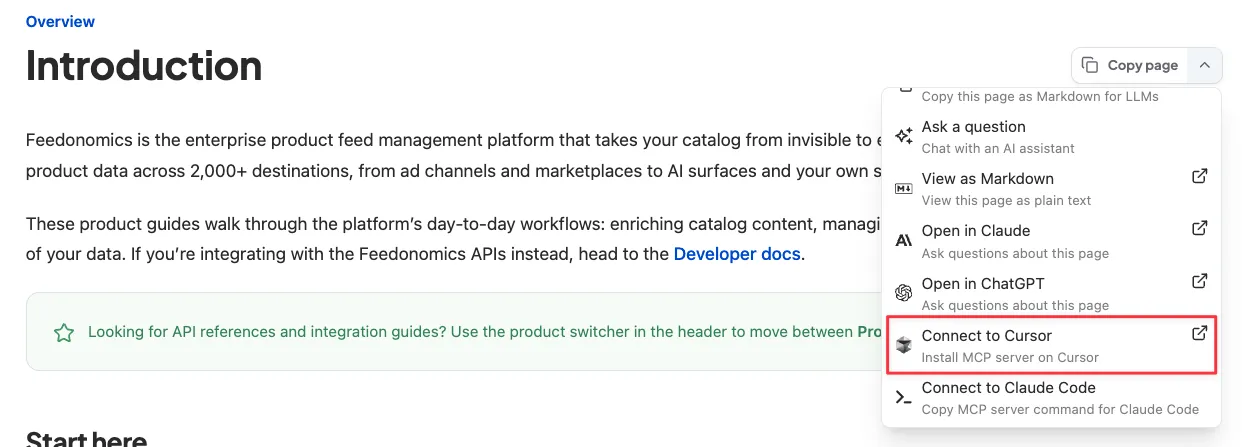
To set it up manually instead, add the Feedonomics docs server entry to one of these files. In recent Cursor versions, the Settings → Tools & MCPs → New MCP Server button opens mcp.json for direct editing rather than a Name/URL form.
.cursor/mcp.jsonin your project root (project-scoped), or~/.cursor/mcp.jsonin your home directory (available in every project)
Save the file — Cursor picks the new server up automatically.
Claude Desktop
npx to work.Locate and open the config file
In Claude Desktop, go to Settings > Developer > Edit Config — this reveals claude_desktop_config.json in Finder (macOS) or Explorer (Windows). Open that file in VS Code, Cursor, or any text editor.
Verify it’s working
Once you’ve connected, try asking your AI tool:
- “What MCP tools do you have available?” — you should see tools from the Feedonomics docs server.
- “Search the Feedonomics docs for order acknowledgement.” — if it returns results pulled from the docs, you’re set.