
Reviewing and accepting results
Nothing ships without your say-so. After every run, you review the results and decide what goes live. Here’s how to do it efficiently — including how to review 5,000 products without reading 5,000 descriptions.
The review view
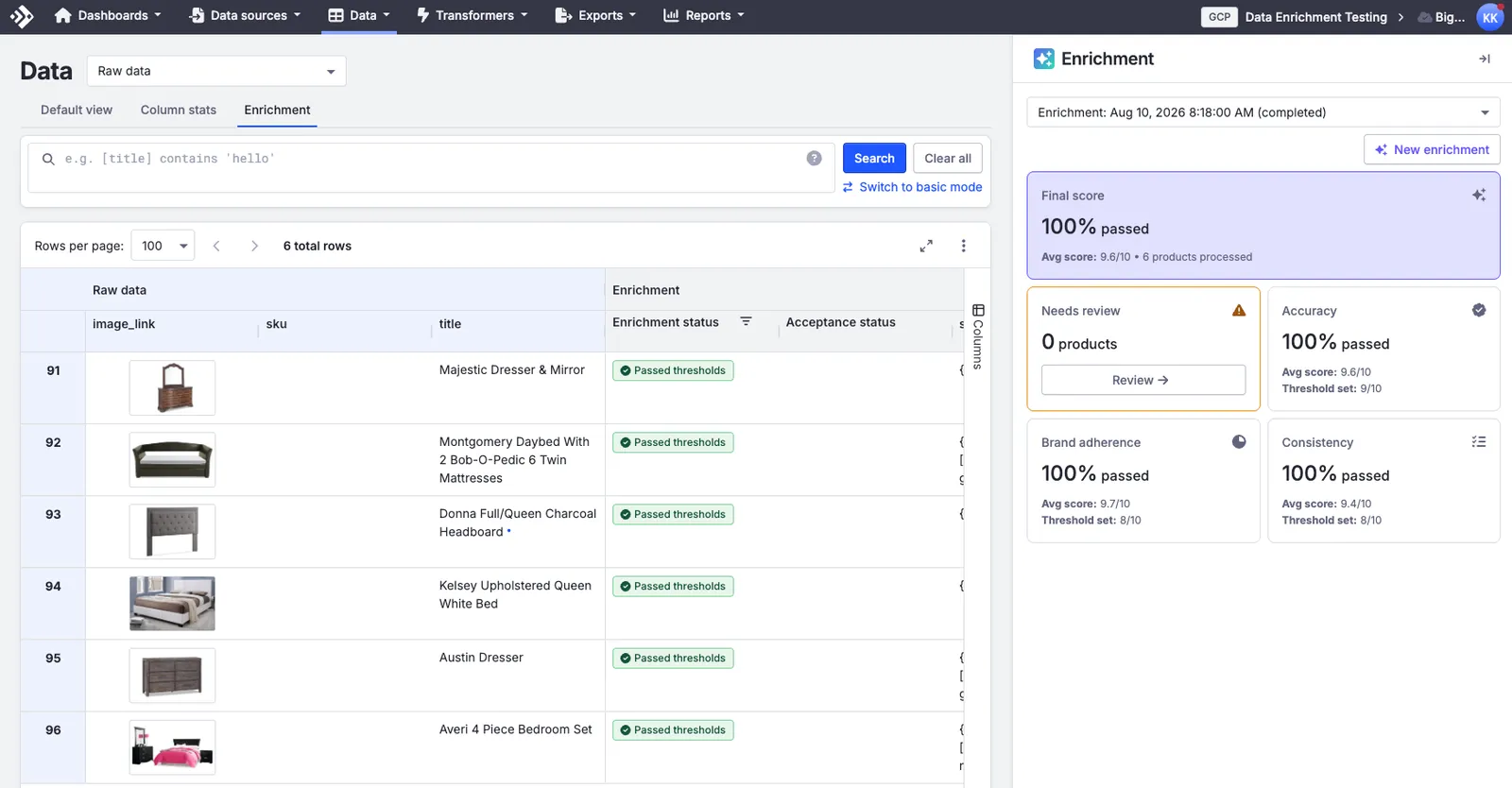
Each product shows the enriched content side by side with your original data, along with its quality score and any flagged issues. You see exactly what changed, field by field. If the scores need decoding, start with Understanding your quality scores.
Three ways to accept
- Accept all — take every result in the run. Best once you’ve built trust with a config on earlier runs.
- Accept above threshold — take everything that cleared your quality bar in one click, then hand-review only what was held back.
- Row by row — full manual control. Best for your first run, high-stakes products, or a new brand voice.
Annotating results
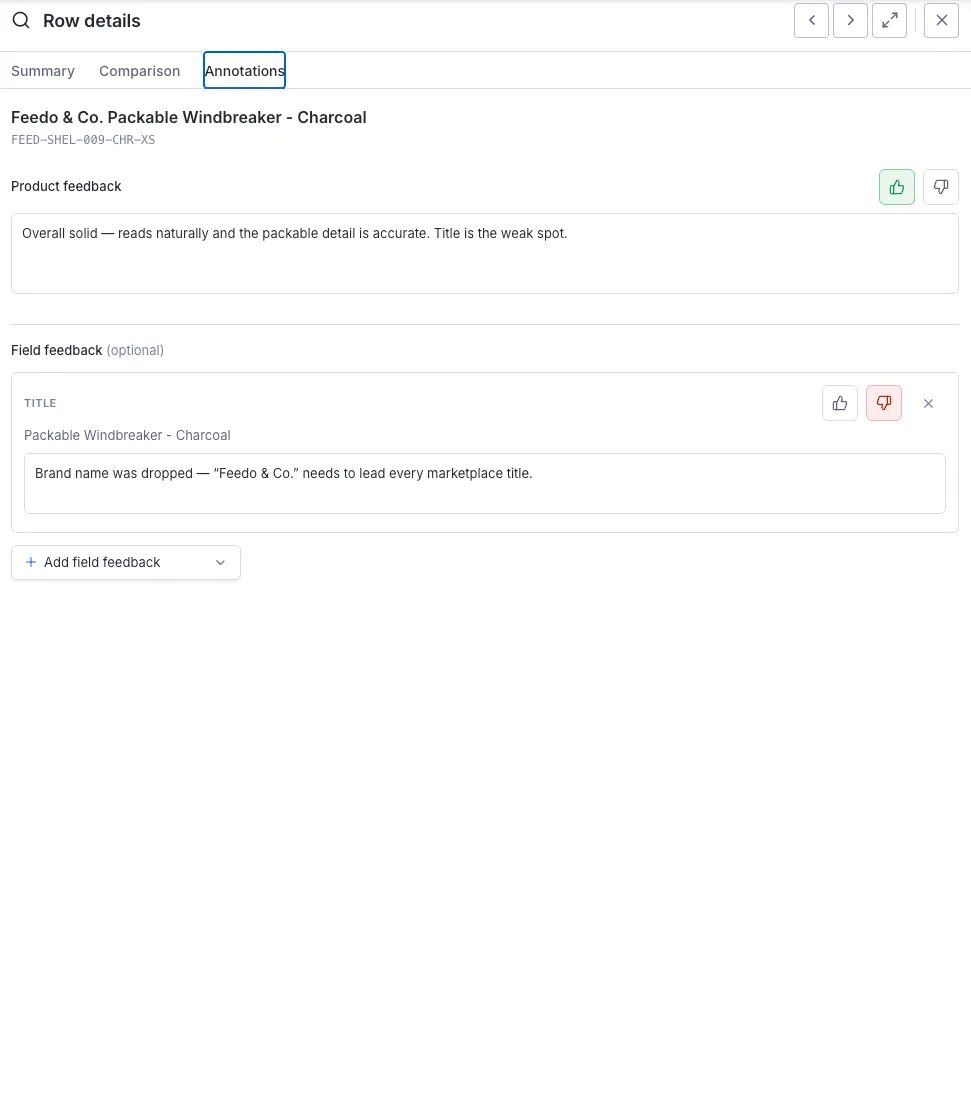
Accepting or rejecting records your decision — annotations record your reasoning. Open any row’s details and switch to the Annotations tab to leave structured feedback on a result:
- Product feedback — a thumbs up or down for the result as a whole, with a note explaining why.
- Field feedback (optional) — add any enriched field from the run and rate it individually, with its own note. Praise the brand description while flagging the color extraction, on the same product.
Save your annotations before closing the panel; Revert discards unsaved changes.
Annotations are collected on a reports page where the rest of your team can review the enriched content and the feedback on it together — so the person who reviewed row by row and the person who decides on config changes don’t have to be the same person.
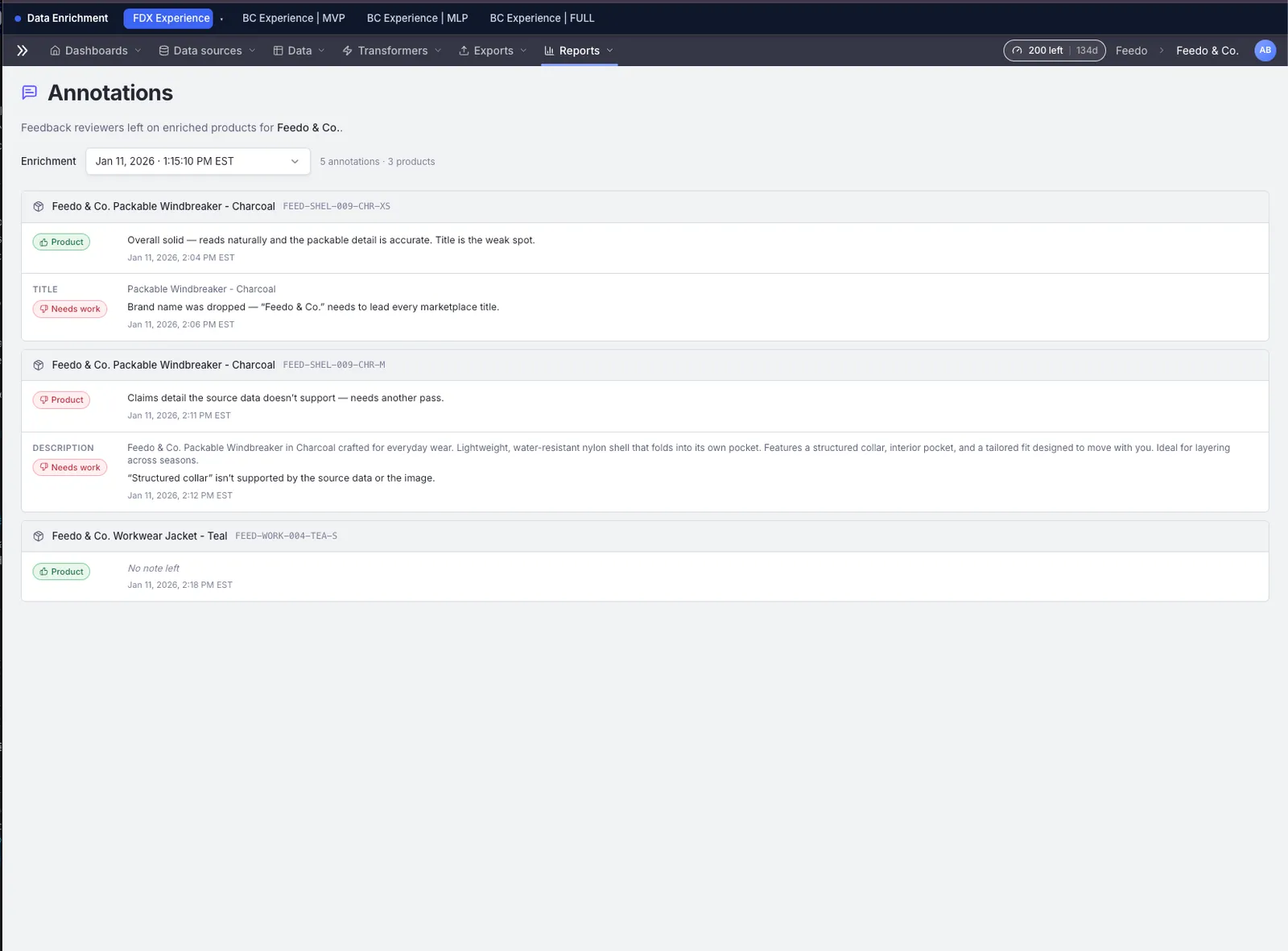
Annotations are a record for your team, not an instruction to the system — the next enrichment run doesn’t read them. To change what enrichment produces, act on what your annotations tell you: refine your generation config or brand voice input, then re-run.
Annotate the pattern, not every instance. If ten products share the same problem, one well-written annotation on a representative row beats ten copies of “too formal.” The goal is a record specific enough for a teammate reading the report to act on: what’s wrong, on which field, and what right would look like.
A review strategy that scales
- First run: review a sample row by row — say 50 products across your range. You’re not just checking quality; you’re learning what the scores mean for your catalog.
- Fix at the config, not the row. If you keep seeing the same problem — too formal, wrong emphasis, a term you’d never use — that’s config feedback, not fifty individual rejections. Annotate a representative row so the pattern is on record, then refine your brand voice input and re-run.
- Steady state: accept above threshold, spot-check a sample of what you accepted, and hand-review only the held products.
Don’t hesitate to reject a whole run if the voice is off. One config improvement pays back on every future run — but note that reruns count toward usage, so fix the config before rerunning at full volume.
What happens after you accept
Accepted content is applied as a raw data override, which puts it in your pipeline ahead of your transformers and feed build. Rejected content is simply discarded — your imported source data is untouched either way. See Enrichment, transformers, and exports for what runs next.
Usage counts every enrichment you send for processing — not just the results you accept. If you run 1,000 products and accept 600, all 1,000 count toward your contracted allotment. Set your quality thresholds and product selection deliberately before you run.
Where to go from here
- A few products need wording tweaks → Editing enriched content
- A whole group missed the mark → Re-running enrichments
- You’re ready to measure the impact → Analytics onboarding