
Understanding your quality scores
Every product that comes back from an enrichment run carries a quality score. This page explains what’s behind the number so you can trust it, act on it, and know when to dig deeper.
The three factors
Every enriched product is scored on three factors:
- Accuracy — does the generated content faithfully reflect your source data? Content is never allowed to invent claims your data doesn’t support.
- Consistency — do all the generated fields agree with each other? A title and description that state different materials is a consistency issue.
- Brand Adherence — does the content match the brand voice and guidelines you provided?
How scoring works
Scoring is issue-based. An automated reviewer examines every generated field against your source data and your brand guidelines, and records specific, explainable issues — each one names the field affected, describes the problem, and carries a severity.
A few examples of what gets flagged:
- A claim your source data doesn’t support (an accuracy issue — the most serious kind).
- A title that says “set of 4” while the description says “set of 6” (a consistency issue).
- Copy that breaks one of your stated brand rules (a brand adherence issue).
Your score is derived from those issues, so you’re never staring at a bare number wondering why: open any product’s row details and you’ll see the exact issues behind it, field by field.
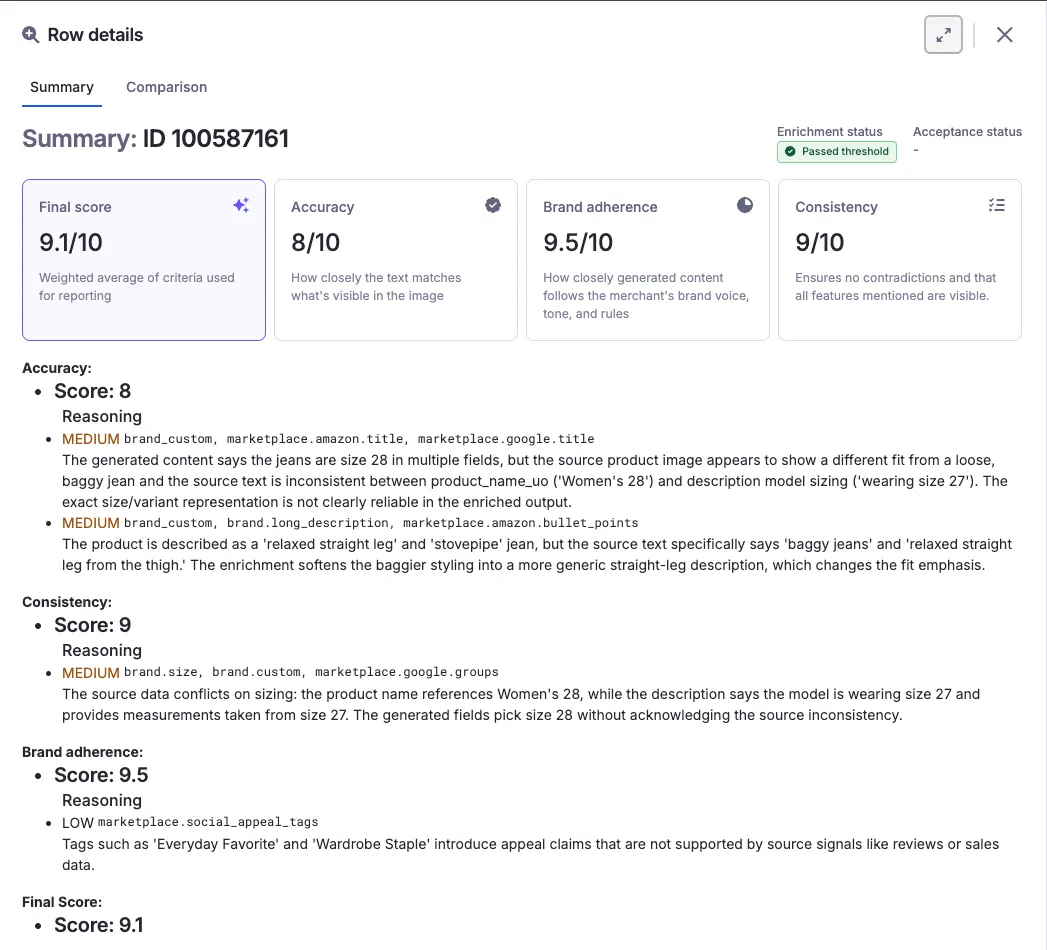
Why a good-looking product can still be held for review
A product can read beautifully and still get held back — usually because one specific issue crossed a line, like an unsupported claim buried in an otherwise great description. That’s the system working: the issues list tells you exactly what to look at, and it’s usually a ten-second judgment call.
Thresholds are yours to set
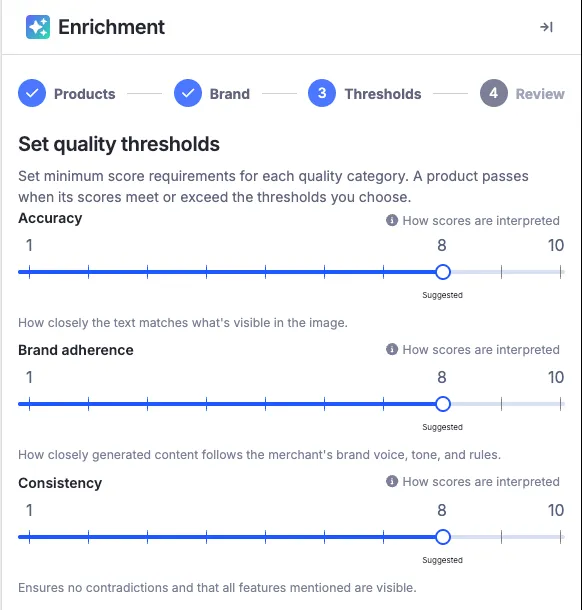
Before each run you choose the quality bar — a minimum score per category, with a suggested starting point marked on each slider. Results below it aren’t discarded — they’re held for your review. Teams typically start strict on their first runs, learn what the scores mean for their catalog, and loosen or tighten from there.
Next: Reviewing and accepting results. Common scoring questions are also covered in the FAQ.